
Creating Your ClippaMania Account
Let’s start by creating an account!
1. Select “Create an Account” at the top of your screen and create an account using your email, as well as a username and password of your choice!
2. Go to the “Clippy” tab and select your favorite Clippy and hit “Save My Clippy.” This will then be the profile picture of your account. You may change your Clippy at any time.

3. XP
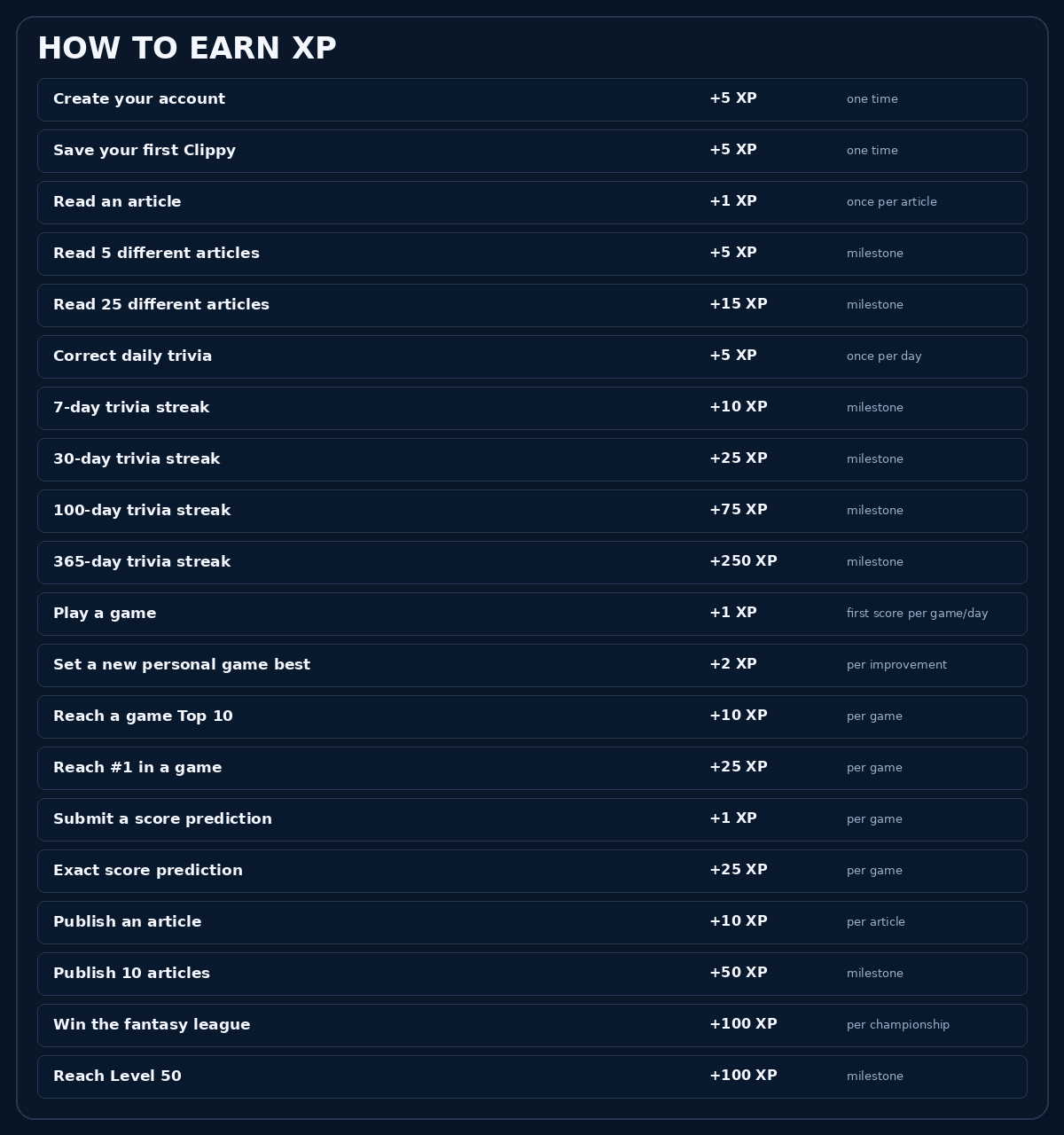
XP tracks your activity and determines your level. XP is cumulative and never resets. If you reach Level 2 at 20 XP, your next point brings you to 21 total XP. Your all-time XP also determines your position on the Overall Leaderboard.
4. Levels
Everyone starts at Level 1. Earn XP to level up, with each new level gradually requiring more XP. Your level and total XP never reset.
5. Ranks
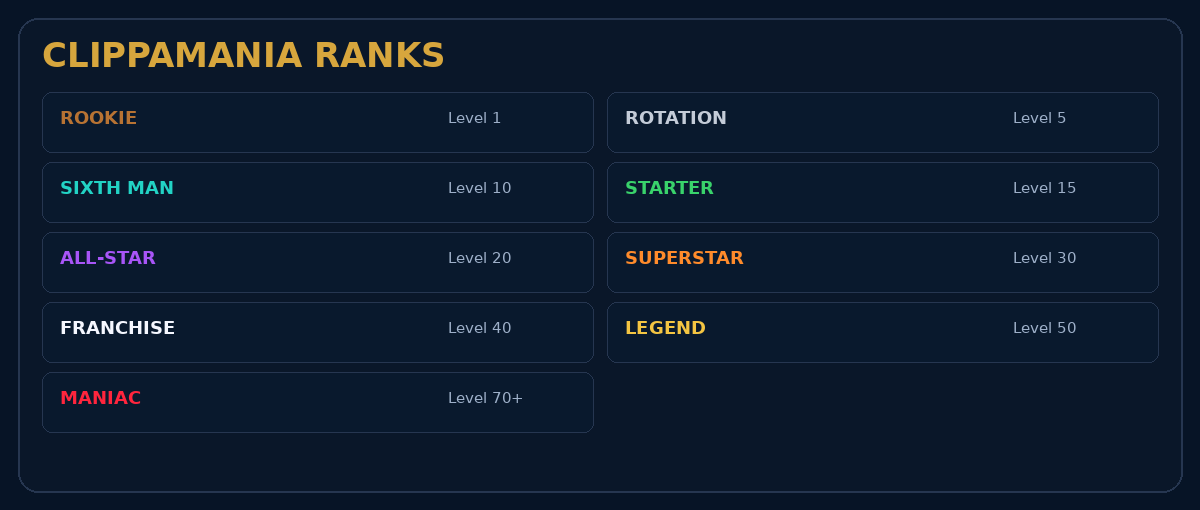
Your rank changes as your level increases. Rank represents your overall ClippaMania progression and is separate from your position on a leaderboard.
6. Badges
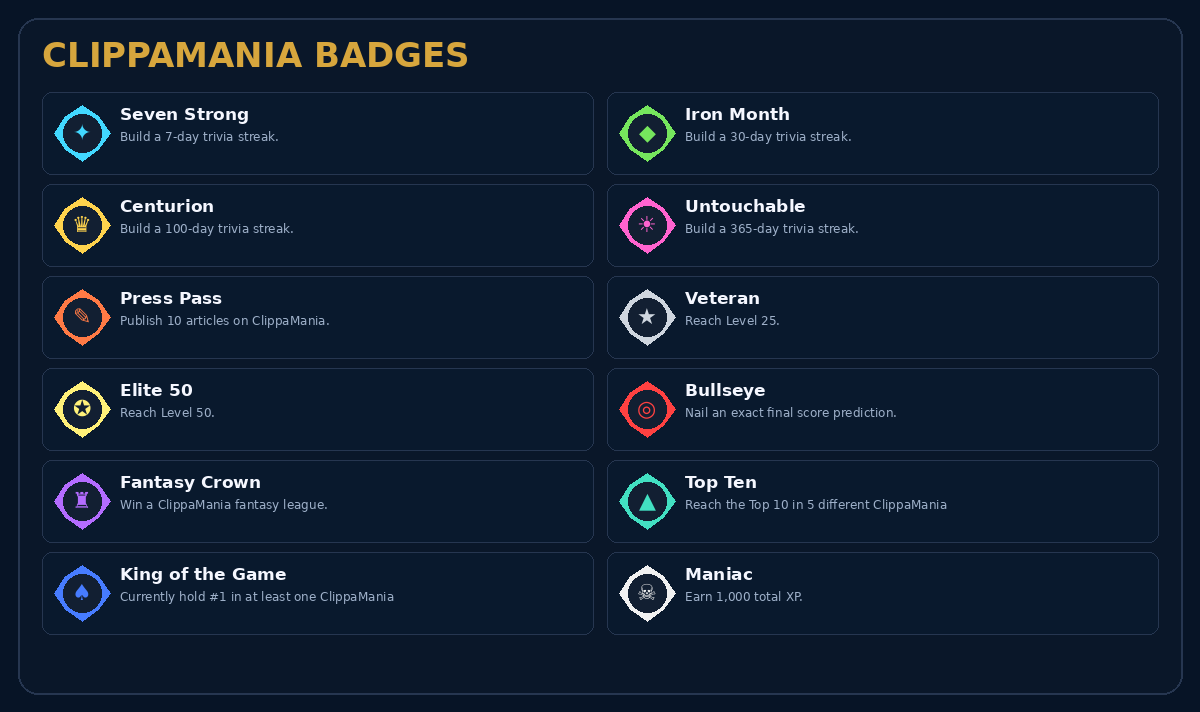
Badges recognize specific achievements. Earned badges appear on your profile and beside your username on the Overall Leaderboard. King of the Game is a live badge: you must currently hold the #1 score in at least one ClippaMania game.
7. Leaderboards
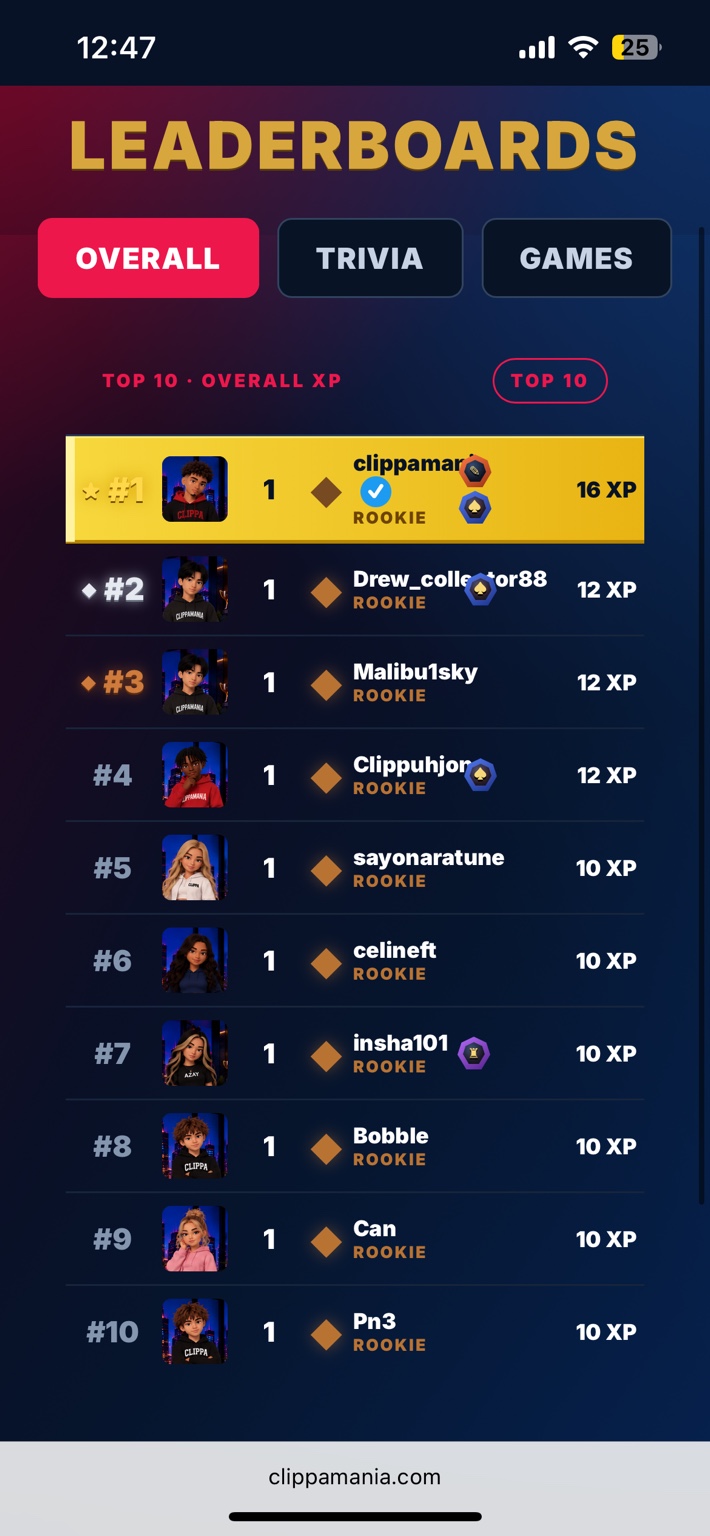
The Leaderboards tab has three sections: Overall ranks users by all-time XP, Trivia ranks users by their highest Question of the Day streak ever, and Games shows the Top 10 scores for each ClippaMania game.